
Spreadsheets drift
Rotation rules live in rows, colors, comments, and memory. After a few sessions, nobody is sure whether the order is still fair.
Critique Queue
Critique Queue keeps presenter rotation fair, visible, and auditable, so recurring design reviews start faster and no one loses their place when they skip.
Product flow
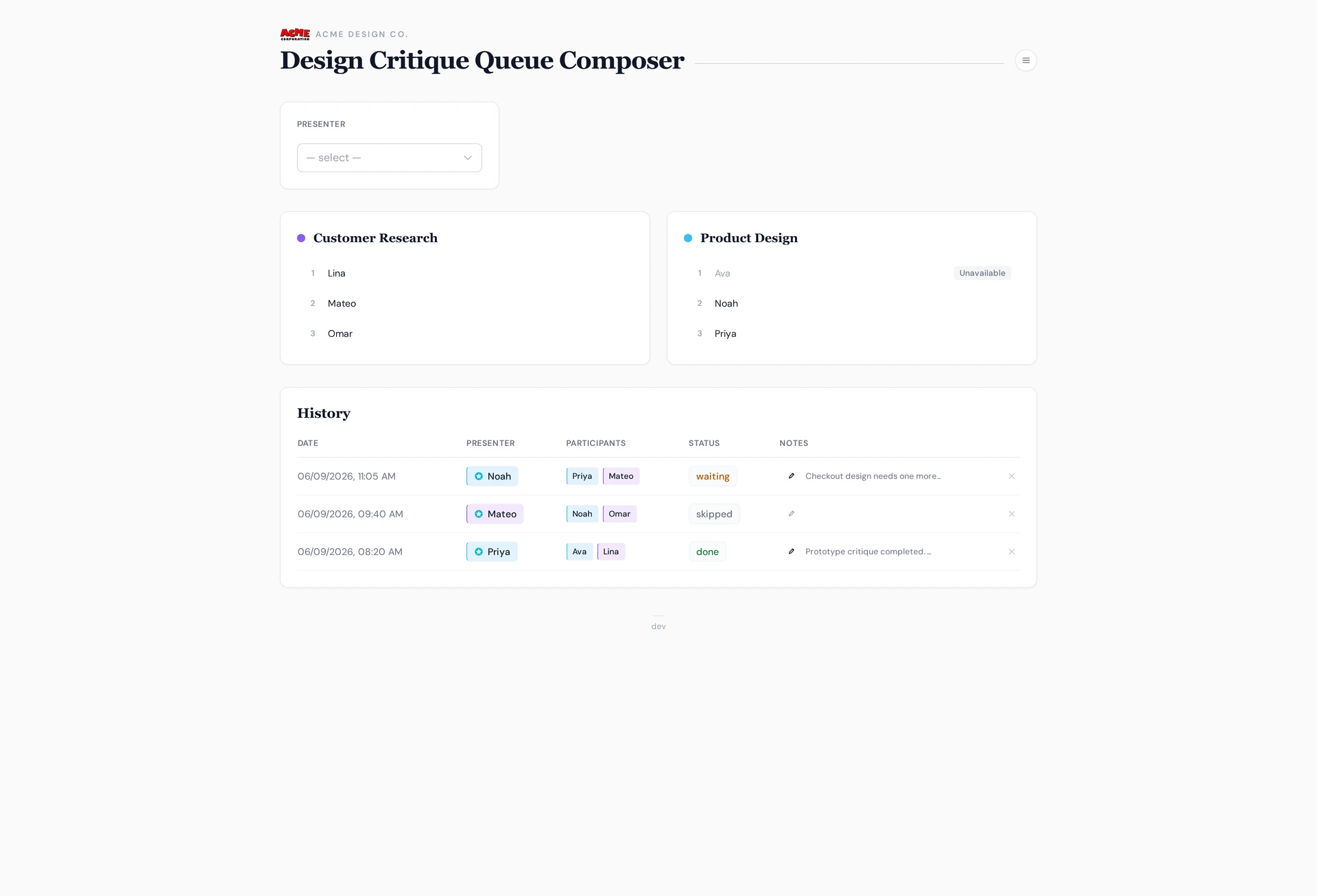
The facilitator selects presenters, composes multiple sessions, and keeps the queue visible so the team understands why people were selected or skipped.
Company access
The same signed-in person can be invited into multiple company accounts. Inside each company, critique workspaces stay separate.
The problem
Rotation rules live in rows, colors, comments, and memory. After a few sessions, nobody is sure whether the order is still fair.
People on vacation or overloaded get skipped, then accidentally lose their place or come back in the wrong order.
When selection feels subjective, the person running critique has to explain why someone was picked again.
What it replaces
Figma, FigJam, Slack, and Calendar can stay where they are. Critique Queue replaces the fragile process around them: who presents next, who skipped, and what needs to be remembered.
Company and workspace model
A company account owns billing, sign-in, admins, members, and audit policy. Workspaces sit inside that company, one per recurring critique ritual.
The customer boundary for billing, company sign-in, admins, members, and audit policy.
Each recurring critique ritual gets its own queue, rotation rules, history, and workspace settings.
Consultants and operators can be invited into more than one company without mixing their critique queues.
How it works
01
Start from the person leading the critique. Critique Queue previews the attendee selection before anything is committed.
02
The queue stays visible. Unavailable people remain in place, so skips do not silently change fairness.
03
Save the result, rotate the selected people, and keep a history that explains what happened later.
Why teams use it
Critique Queue gives design ops and team leads a simple way to show how attendee selection works, who was skipped, and what changed after each session.
ROI
At a $75/hour loaded cost, a $19 workspace pays for itself when it saves about 16 team-minutes per month. That is less than four minutes of total confusion across one weekly critique.
Pricing direction
Free for 30 days
One critique workspace, unlimited attendees, and help importing the current spreadsheet.
$19 / workspace / month
Fair rotation, skip history, and queue visibility for one recurring critique ritual.
From $79 / company / month
Multiple workspaces, company sign-in, admin controls, audit exports, and priority integrations.
Integrations roadmap
Critique Queue should not become another design canvas or notes app. The roadmap is about reminders, artifact links, calendar cadence, migration, and follow-up work.
Send the queue, team list, and current critique rules. I can turn that into a pilot your team can try before changing the way sessions are run.
Ask about a pilotCompany admin
Critique Queue includes company-sign-in admin views for access, audit trails, workspace settings, and queue maintenance, so design ops can manage each ritual without shared passwords or spreadsheet archaeology.
Manage business units and people without touching the underlying queue data by hand.
Review recent changes, who made them, and which company records were affected.
Use company sign-in, invite teammates, adjust roles, and handle pending access requests from one place.
Tune branding and rotation behavior so each workspace matches the team ritual.